

It's Tuesday morning. You open GitHub to review a pull request from the new junior developer, Alex. The PR is impressive—clean code, proper naming conventions, comprehensive tests, even documentation. Everything looks perfect. Too perfect, actually. Welcome to 2026, where your job as a senior engineer has fundamentally changed. You're no longer teaching a junior developer how to write a for-loop. Instead, you're playing detective, hunting for the subtle, almost invisible bugs that AI confidently weaves into otherwise beautiful code.
Introduction: Welcome to the New Normal
You scroll down to the comments and see it: "Generated with Cursor AI, reviewed and tested by me."
The stakes have never been higher, and the game has completely changed.

The new reality: Senior engineers as code detectives, hunting for AI hallucinations in pristine-looking code
The Shift Nobody Saw Coming (But Everyone Should Have)
How We Got Here
Remember 2023? GitHub Copilot was the new cool kid on the block. Developers were excited but cautious. "It's just autocomplete on steroids," we said. "It'll never replace real developers."
Fast forward to 2026, and oh boy, were we both right and spectacularly wrong.
AI didn't replace developers. Instead, it became their superpower—or their crutch, depending on how you look at it. Junior developers who used to spend weeks learning the basics are now shipping features on day one. Seniors who used to mentor over code structure are now running AI-generated code through increasingly sophisticated mental debuggers.
The Numbers Don't Lie
Recent studies from Stack Overflow's Developer Survey show that over 70% of code written in 2026 has some AI involvement. In startups, that number jumps to 85%. And here's the kicker: most of it actually works. The AI isn't writing garbage. It's writing plausible, reasonable, often elegant code.
That's exactly why it's dangerous.
The Old Code Review vs. The New Code Review
The old way was straightforward. You'd review a junior's PR and find obvious mistakes:
- Unhandled edge cases
- Poor naming conventions
- Missing error handling
- Inefficient algorithms
- Lack of tests
You'd leave comments, they'd learn, and next time they'd do better. It was mentorship wrapped in code review.
The new way is psychological warfare. You're reviewing code that looks impeccable. The syntax is perfect. The patterns are textbook. The tests pass. Everything is... suspicious. Because you know that somewhere in those 500 lines of pristine code, there might be a logic hallucination that'll cause a production incident at 3 AM.
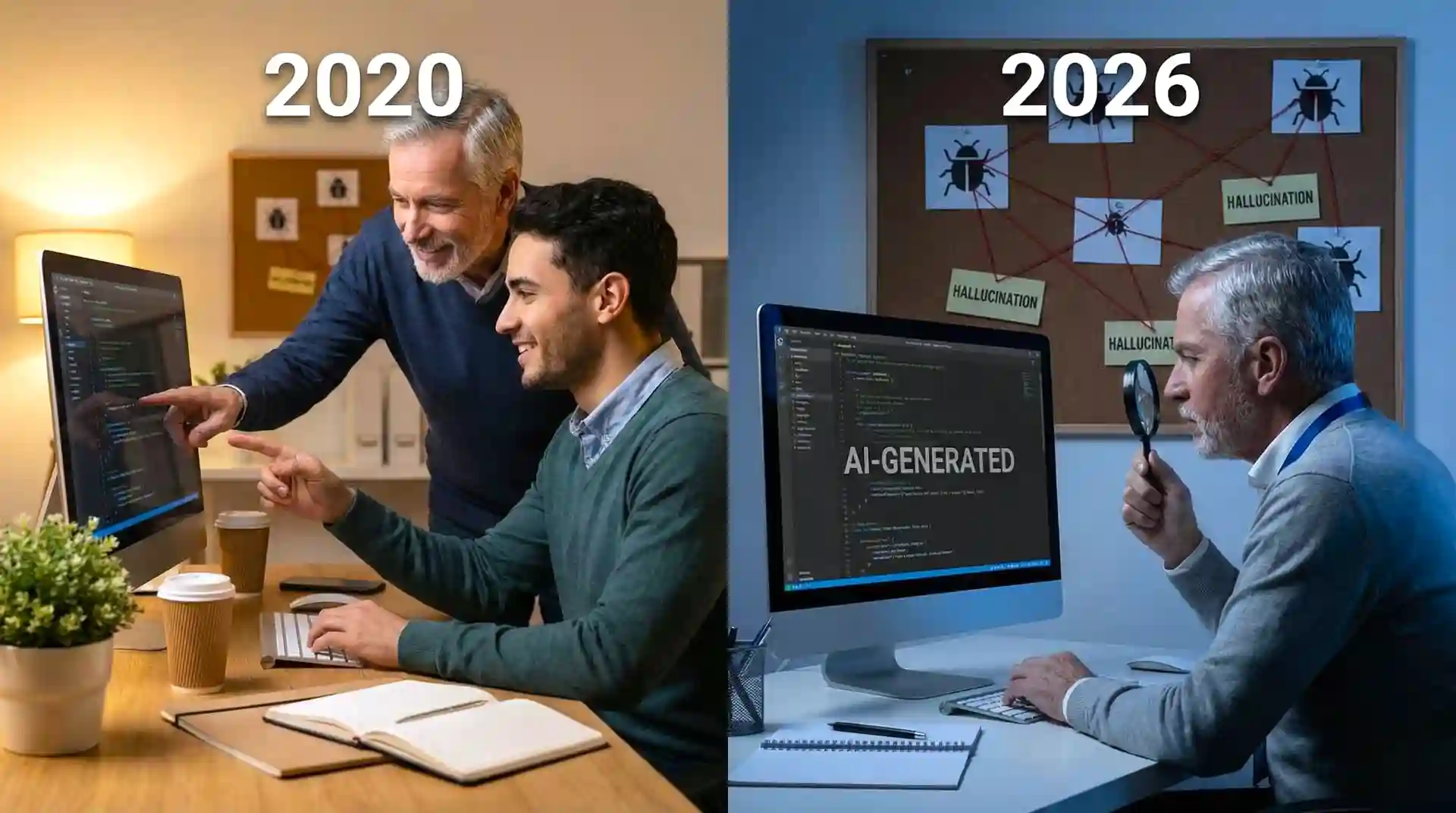
The paradigm shift: From mentoring humans to auditing AI output
What Are AI Logic Hallucinations? (And Why They're Terrifying)
The Definition
An AI logic hallucination is when AI-generated code is syntactically correct and appears to implement the requested feature, but contains subtle logical errors that don't match the actual requirements or real-world constraints.
It's like asking someone to build a door lock and they build something that looks exactly like a lock, turns like a lock, and even makes the satisfying click sound—but doesn't actually secure the door.
Why They Happen
AI models are pattern-matching machines. They've seen millions of lines of code and learned what "looks right." But they don't understand context the way humans do. They don't know your business logic. They don't understand the unwritten rules of your system. They don't experience the consequences of bugs.
According to research from Google AI Research, large language models generate code that follows patterns but misses the point in approximately 15-20% of complex implementations.
Real Examples That'll Make You Sweat
Example 1: The Timezone Trap
// AI-generated function to check if user can post
function canUserPost(user) {
  const now = new Date();
  const lastPost = new Date(user.lastPostTime);
  const hoursSinceLastPost = (now - lastPost) / (1000 * 60 * 60);

  return hoursSinceLastPost >= 24;
}
Looks perfect, right? Clean, readable, logical. Except it's comparing dates without considering timezones. A user in Tokyo and a user in New York will have completely different experiences. The AI "hallucinated" that simple date subtraction was sufficient.
Example 2: The Async Await Gotcha
// AI-generated batch update function
async function updateUserProfiles(users) {
  users.forEach(user => {
    await updateProfile(user); // This doesn't work!
  });
  return { success: true, count: users.length };
}
The AI knows about async/await. It knows about forEach. But it hallucinated that they work together (they don't—the awaits are ignored). The code runs without errors, appears to work in small tests, but silently fails in production.
Example 3: The Off-By-One Nobody Sees
// AI-generated pagination function
function getPaginatedResults(items, page, pageSize) {
  const start = page * pageSize;
  const end = start + pageSize;
  return items.slice(start, end);
}
Looks textbook correct. But if your API expects page to start at 1 (not 0), this is off. The AI learned a pattern from zero-indexed examples but hallucinated that all pagination works the same way.
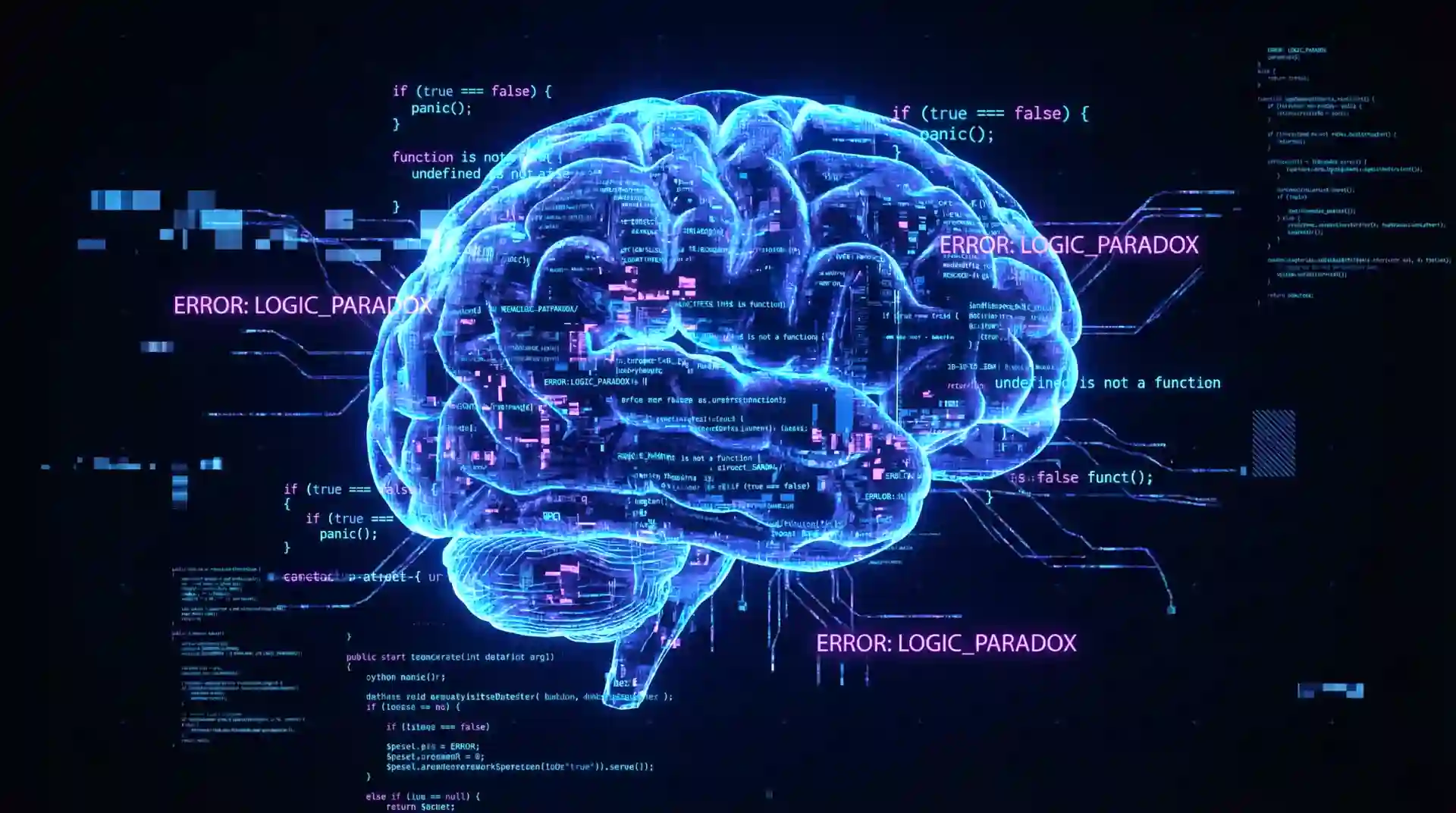
The invisible threat: AI hallucinations hide beneath syntactically perfect code
The New Skills You Need (That Nobody Teaches)
Skill 1: Paranoid Reading
You need to develop what I call "paranoid reading mode." It's different from normal code review. You're not looking for obvious mistakes. You're looking for code that's TOO confident.
What to watch for:
- Code that handles the happy path perfectly but you can't find the edge case handling
- Functions that look suspiciously similar to textbook examples
- Comments that are too generic ("This function processes the data")
- Error handling that catches everything but does nothing specific
Skill 2: Context Archaeology
AI doesn't understand your context. Your job is to verify the code works in YOUR specific world, not the general programming universe.
Questions to always ask:
- Does this work with OUR database schema?
- Does this respect OUR rate limits?
- Does this follow OUR authentication flow?
- Does this handle OUR specific edge cases?
I once caught an AI-generated payment processing function that worked perfectly for US credit cards but completely ignored international card formats. The AI had hallucinated that all cards follow the same validation rules.
Skill 3: The Boundary Test Mindset
AI is notoriously bad at boundaries. It learns the pattern for normal cases but hallucinates how boundaries work.
Always test mentally:
- What if the input is empty?
- What if it's null vs. undefined?
- What if the number is zero? Negative? Infinity?
- What if the array has one item? Zero items?
- What if the string contains special characters?
Skill 4: The "Why" Interrogation
For every line of AI code, you should be able to answer "why?" If you can't, that's a red flag.
- Why is this variable declared here?
- Why is this specific algorithm chosen?
- Why is this error handled this way?
- Why is this value hardcoded?
If the answer is "because the AI wrote it that way," you need to dig deeper.
Red Flags: How to Spot AI Hallucinations
Red Flag 1: Perfect Code
Paradoxically, perfect-looking code is often the most suspicious. Real human code has quirks, personal style, and sometimes weird but necessary workarounds. AI code looks like it came from a textbook.
If a junior developer suddenly submits PR after PR of pristine, pattern-perfect code with zero questionable decisions, they're probably copying AI output without understanding it.
Red Flag 2: Inconsistent Patterns
AI sometimes mixes patterns from different paradigms or frameworks. You'll see Redux patterns mixed with MobX patterns, or REST conventions mixed with GraphQL conventions.
Humans make consistent mistakes. AI makes sophisticated but inconsistent ones.
Red Flag 3: Over-Abstraction
AI loves abstractions. It'll create factory patterns for things that need a simple function. It'll add layers of indirection that "might be useful later."
A junior developer learning will typically under-abstract (copy-paste everywhere). AI over-abstracts (unnecessary complexity everywhere).
Red Flag 4: Generic Error Messages
catch (error) {
  console.error("An error occurred");
  throw error;
}
AI loves generic error handling. It knows errors should be caught but hallucinates that generic messages are sufficient.
Red Flag 5: The Missing Context Comment
AI-generated code rarely has comments explaining context-specific decisions. You'll see comments like:
// Calculate the total
const total = items.reduce((sum, item) => sum + item.price, 0);
But never:
// Using reduce instead of a loop because we need to handle
// the case where items might be empty, and our legacy system
// expects a number, not undefined
Red Flag 6: Test Hallucinations
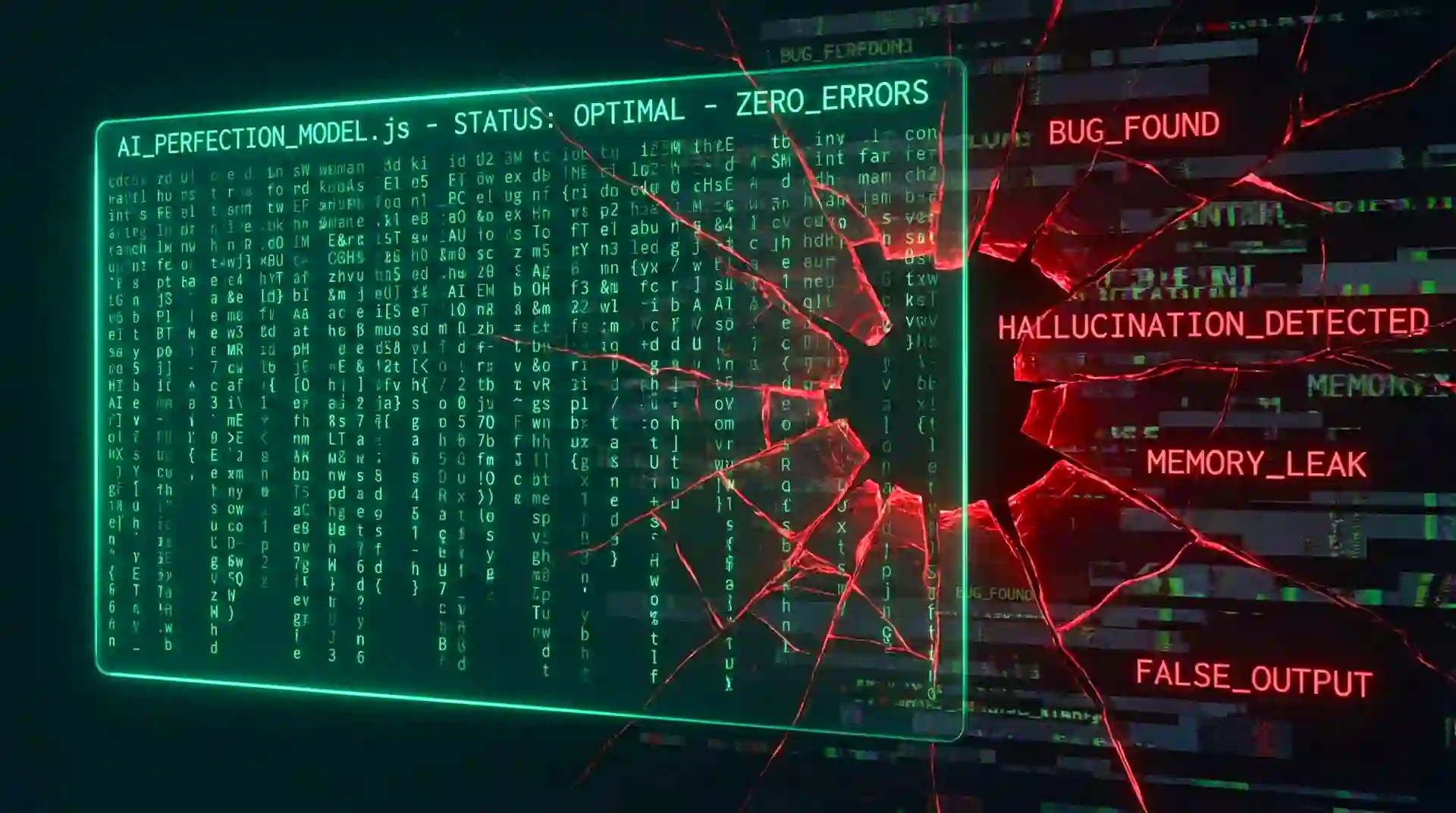
Deceptively perfect: When flawless appearance masks fundamental flaws
This is sneaky. AI can generate tests that look comprehensive but actually test the wrong thing.
test('user can login', async () => {
  const response = await login('user@example.com', 'password123');
  expect(response.status).toBe(200);
});
Great! Except... it's not actually testing if the user CAN login. It's testing if the endpoint returns 200. A hardcoded mock might always return 200. The real login could be completely broken.
The Psychological Challenge (The Part Nobody Talks About)
The Confidence Problem
Here's a weird thing about reviewing AI code: it makes YOU doubt yourself.
The code looks good. The tests pass. It's well-structured. And you're sitting there thinking "I feel like something's wrong, but I can't put my finger on it." You start second-guessing your instincts.
I've had senior developers tell me they approved PRs they had bad feelings about because they couldn't articulate what was wrong. The code looked too good to reject.
That's the AI's superpower working against you.
The Efficiency Trap
Management loves that juniors are shipping code faster. There's pressure to approve PRs quickly. "Why are you spending 2 hours reviewing 200 lines of code? It has tests!"
You have to resist this pressure. Because finding an AI hallucination takes time. You need to think through scenarios, trace execution paths mentally, and imagine edge cases.
The Imposter Syndrome Amplifier
When a junior developer submits better-looking code than you could write, it messes with your head. Are they better than you? Are you becoming obsolete?
No. They're not writing the code. The AI is. Your value is in understanding what the code actually does, not what it looks like.
Practical Strategies That Actually Work
Strategy 1: The Explanation Test
When reviewing AI-generated code, always ask the developer to explain it. Not just what it does, but HOW and WHY.
"Walk me through how this handles the case when the database connection times out."
If they can't explain it, they don't understand it, and it shouldn't be merged.
Strategy 2: The Modification Challenge
Ask them to make a small change. "Can you add logging to this function?"
If they can modify it confidently, they understand it. If they regenerate the whole thing with AI, they don't.
Strategy 3: The Edge Case Game
For every PR, come up with three edge cases not covered in the tests. Ask the developer to show you where those are handled.
This forces them (and you) to think beyond the happy path the AI optimized for.
Strategy 4: The Integration Smell Test
AI is great at individual functions but sometimes hallucinates how they integrate. Always check:
- Does this play nicely with our existing error handling?
- Does this respect our transaction boundaries?
- Does this follow our data flow patterns?
Strategy 5: The Performance Reality Check
AI often generates "correct" code that performs terribly at scale. It doesn't know your data volumes.
A nested loop that works fine with 10 items becomes a disaster with 10,000 items. AI doesn't think about Big O notation in real-world contexts.
Strategy 6: Keep a Hallucination Journal
This sounds paranoid, but it works. Keep a document of AI hallucinations you've found. Pattern recognition is your friend.
You'll start noticing that AI makes the same types of mistakes:
- Timezone handling
- Null vs. undefined
- Async/await misuse
- Off-by-one errors
- Overly generic error handling
Strategy 7: Pair Review AI Code
For critical features, do pair reviews of AI-generated code. Two sets of eyes catch more hallucinations. One person can trace through the logic while the other thinks about edge cases.
Teaching the Next Generation (Your New Responsibility)
The Uncomfortable Truth
Junior developers in 2026 are learning to code in a fundamentally different way than we did. They're not learning by making mistakes and fixing them. They're learning by prompting AI and accepting output.
This creates knowledge gaps that are scary:
- They can generate a binary search tree but don't understand why it's O(log n)
- They can implement authentication but don't understand security principles
- They can write async code but don't understand the event loop
Your New Teaching Role
Your job isn't just reviewing code anymore. It's teaching critical thinking about code.
Instead of: "This loop is inefficient."
Try: "What happens when this array has 100,000 items? How would you test that?"
Instead of: "This error handling is wrong."
Try: "Walk me through what happens when the database connection fails. Where does the error go?"
Instead of: "Add more tests."
Try: "What could break this code? Show me a test that would catch it."
Building AI-Resistant Skills
Teach juniors the skills AI can't provide:
- System thinking (how components interact)
- Performance intuition (what scales, what doesn't)
- Security mindset (threat modeling)
- Business logic understanding (the "why" behind requirements)
- Debugging skills (when something goes wrong)
These are the skills that make them valuable beyond being good AI prompters.
The Tools and Techniques for 2026
Automated Hallucination Detection
New tools are emerging that try to detect AI-generated code patterns and common hallucinations. While not perfect, they can flag suspicious code for extra scrutiny.
Look for tools that check:
- Complexity that doesn't match functionality
- Patterns that don't match your codebase style
- Missing contextual error handling
- Performance anti-patterns
Enhanced Testing Requirements
For AI-generated code, standard test coverage isn't enough. Require:
- Boundary condition tests
- Integration tests with real data
- Performance tests with realistic load
- Security tests for common vulnerabilities
- Tests that fail in meaningful ways
Code Review Checklists (The New Version)
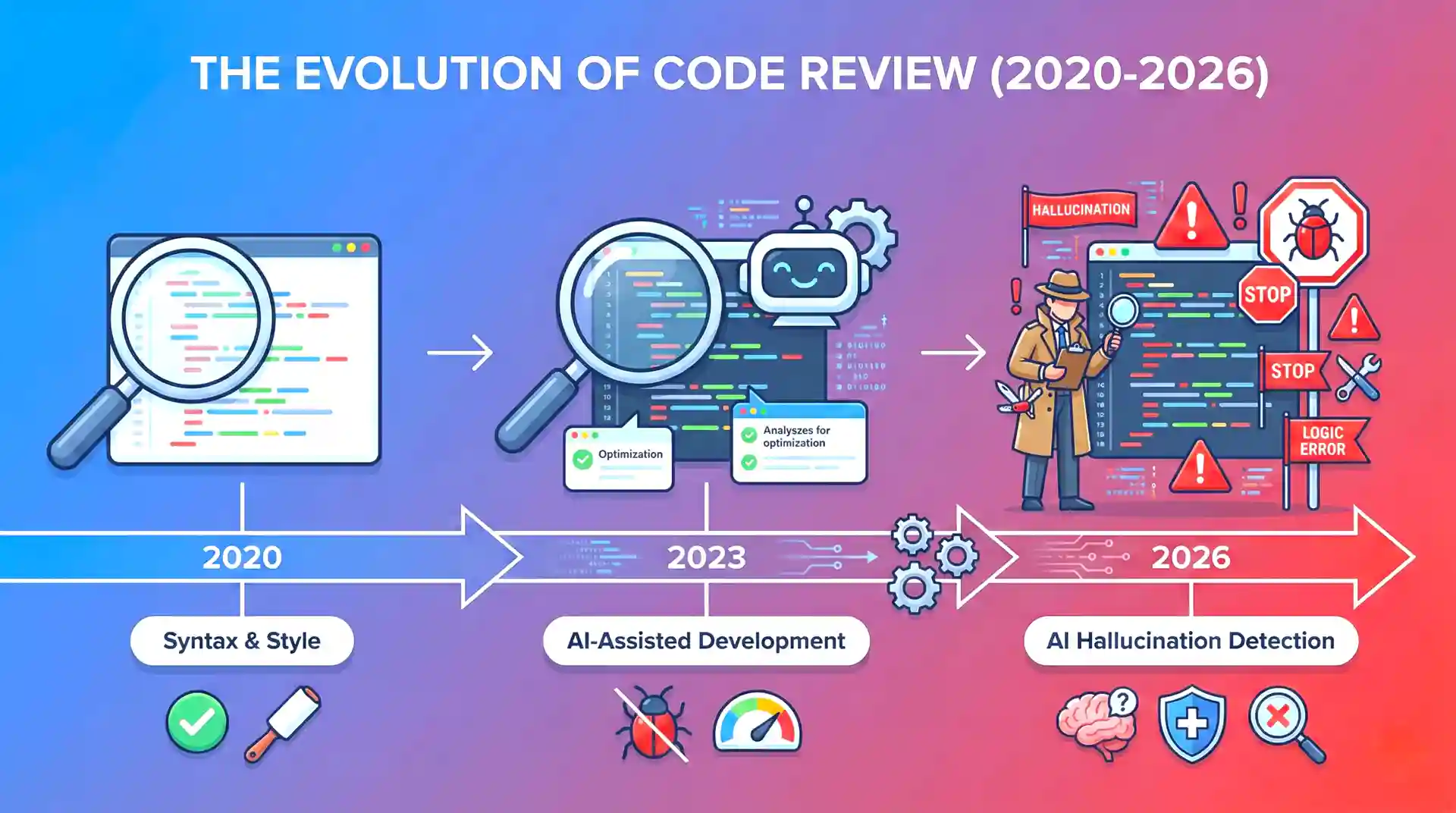
Evolution of code review: Adapting practices for the AI-assisted development era
Your old code review checklist isn't enough. Here's what to add:
AI-Specific Checks:
- Can the developer explain every part of this code?
- Are edge cases explicitly handled (not just "not broken")?
- Does this work with our actual data, not example data?
- Are there context-specific comments explaining "why"?
- Have integration points been manually verified?
- Are error messages specific to our system?
- Has performance been tested with realistic data volumes?
- Are there any "too perfect" patterns that seem copied?

Team collaboration: Implementing comprehensive AI code review policies and checklists
Real-World Horror Stories (So You Don't Repeat Them)
⚠️ Warning: These are real incidents that happened to real companies. Names have been changed to protect the embarrassed.
The Authentication Bypass
A startup let an AI-generated authentication system go to production. It looked perfect—JWT tokens, proper encryption, all the buzzwords.
Except the token validation had a hallucinated edge case. If the token was malformed in a specific way, it returned null, which was then coerced to false in a double negative, becoming true, granting access.
The AI had seen patterns of null-safe code but hallucinated the logic flow.
Cost: Three days of emergency patching and angry users.
The Silent Data Corruption
An e-commerce company used AI to generate a price calculation update. Tests passed. Code looked great. Deployed Friday afternoon.
By Monday, they discovered the AI had hallucinated decimal precision handling. Prices were being rounded in subtle ways. Over the weekend, thousands of transactions were off by a few cents.
Cost: $50,000 in refunds and reputation damage.
The Infinite Loop That Wasn't
A developer used AI to generate a retry mechanism. It had exponential backoff, maximum attempts, everything.
Except in a specific timing scenario (when the server returned 429 followed by 200 within the same second), the AI's hallucinated logic caused it to reset the retry counter.
One user managed to trigger this accidentally. Their browser hung. They refreshed. Hung again. They had to clear cookies to use the site.
Cost: Hundreds of hours debugging a condition that should have been impossible.
The Future: What Comes Next
AI Reviewing AI
We're already seeing AI tools that review AI-generated code. It's inception-level meta. But here's the problem: they have the same hallucination issues.
You still need humans in the loop. At least for now.
The Hybrid Workflow
The future probably looks like:
- Developer (with AI) writes code
- AI tool reviews it for common hallucinations
- Human senior engineer does final verification
- Automated tests run (including AI-generated tests)
- Merge only if all three pass
The Skill Shift
Senior engineers in 2030 will need:
- Deep understanding of AI limitations
- Pattern recognition for hallucinations
- System-level thinking AI can't replicate
- The ability to teach humans to think, not just prompt
- Paranoid attention to detail at scale
Building Your Team's AI Code Review Policy
Why You Need a Policy NOW
Here's the uncomfortable reality: most companies in 2026 still don't have clear policies around AI-generated code. They're letting developers use AI tools without guidelines, and they're discovering problems only after they hit production.
Don't be that company.
Essential Policy Components
1. Disclosure Requirements
Every PR with AI-generated code should be clearly marked. Not as punishment, but for appropriate scrutiny. You need to know what you're reviewing.
📋 Example Policy Language
"Any PR containing code generated by AI tools (Copilot, Cursor, ChatGPT, etc.) must include a comment noting which portions were AI-generated and what modifications were made."
2. Verification Standards
AI-generated code needs higher verification standards. Period.
Require:
- Developer can explain every line
- Manual testing of edge cases
- Performance testing with realistic data
- Security review for any auth/payment code
- Integration testing with actual services (no mocks)
3. Review Thresholds
Different code requires different scrutiny:
| Risk Level | Code Type | AI Policy |
|---|---|---|
| Low Risk | Internal tools, scripts, prototypes, docs | AI allowed freely |
| Medium Risk | Features, UI, non-critical APIs | AI allowed, high scrutiny |
| High Risk | Auth, payments, security-critical | AI with extreme caution |
| No AI Zone | Crypto, security patches, compliance | No AI allowed |
Legal and Compliance Considerations
The Copyright Minefield
AI models are trained on public code, including copyrighted code. There's a real risk that AI might generate code that closely resembles copyrighted work.
What you need:
- Tools that check for copied code patterns
- Policies about using AI for critical IP
- Legal review for any code that might be proprietary
- Documentation of code sources for audits
Compliance and Regulations
If you're in healthcare, finance, or government, you have extra concerns:
HIPAA/Healthcare: AI-generated code handling patient data needs extra scrutiny. Does it properly anonymize? Does it log PHI inappropriately?
PCI-DSS/Finance: Payment processing code must meet strict standards. AI doesn't understand PCI compliance requirements.
GDPR/Privacy: AI might generate code that collects or processes personal data in non-compliant ways.
Liability Questions
When AI-generated code causes a breach or incident, who's liable? The developer who submitted it? The reviewer who approved it? The company that allowed AI tools? The AI company itself?
These questions are being fought in courts right now. Protect yourself with:
- Clear policies
- Documented review processes
- Evidence of due diligence
- Insurance that covers AI-related incidents
Final Thoughts: Thriving in the AI Age
Embrace the Change, But Stay Critical
AI code generation is a tool, like any other. A powerful one that requires skill to use well.
Don't fight it. Don't fear it. Learn to work with it effectively.
But never stop being critical. Your skepticism is a feature, not a bug.
Invest in Your Detection Skills
The developers who thrive in 2026 and beyond are those who:
- Can spot AI hallucinations quickly
- Understand system context deeply
- Think in edge cases naturally
- Communicate technical risks clearly
- Teach critical thinking effectively
These are learnable skills. Practice them deliberately.
Remember Your "Why"
On hard days, when you're reviewing your fifth AI-generated PR and finding subtle bugs in code that looks perfect, remember:
You're not being pedantic. You're not being difficult. You're not slowing things down unnecessarily.
You're protecting users. You're maintaining quality. You're ensuring that when someone uses your product at 2 AM because they really need it, it works.
That matters.
Action Items: What to Do Monday Morning
Don't just read this and move on. Here's your immediate action plan:
This Week:
- Start documenting AI hallucinations you find
- Create a simple AI code review checklist for your team
- Have a conversation with your manager about AI code policies
- Schedule one 15-minute sync review with a junior who uses AI
This Month:
- Draft an AI code usage policy for your team
- Train your team on common hallucination patterns
- Set up tools to flag AI-generated code in PRs
- Review your team's recent AI-generated code for patterns
"The code doesn't care how it was written. It only cares if it works. Your job is making sure it actually does."
Now close this article, open that PR, and find the bug the AI doesn't even know it wrote.
You've got this. 🔍
Frequently Asked Questions
What percentage of AI-generated code contains hallucinations?
Research suggests 15-20% of complex AI-generated implementations contain subtle logical errors. Simple code (CRUD operations, basic utilities) has lower error rates around 5-8%, while complex business logic, security code, and edge-case handling can see error rates as high as 30%.
Should we ban AI code generation tools entirely?
No. AI tools significantly boost productivity when used correctly. The key is implementing proper review processes, training developers to understand AI limitations, and establishing clear policies about when AI assistance is appropriate. Banning tools entirely puts you at a competitive disadvantage.
How do I convince management that thorough AI code review is worth the time?
Focus on risk and cost. Track hallucinations caught in review and estimate what they would have cost in production. A single authentication bypass or data corruption incident can cost more than months of careful review time. Frame it as risk management, not slowdown.
What's the best way to train junior developers to critically evaluate AI output?
Use the Socratic method. Instead of pointing out errors, ask questions: "What happens if this input is null?" "Walk me through the error handling path." "Why did you choose this approach?" Force them to explain and defend the code, which reveals gaps in understanding.
Are there tools that automatically detect AI-generated code?
Yes, several tools are emerging that analyze code patterns to detect AI generation. However, they're not foolproof. The best approach combines automated detection with human review. Tools can flag suspicious code for extra scrutiny, but humans make the final call.
How do I handle a developer who refuses to disclose AI usage?
Make disclosure a policy requirement, not a suggestion. Frame it positively: disclosure enables appropriate review depth, not punishment. If someone consistently hides AI usage and bugs slip through, that's a performance issue to address directly.
What types of code should never be AI-generated?
Cryptographic implementations, security patches, incident response code, and compliance-required code should avoid AI generation. These areas require deep domain expertise and have severe consequences for subtle errors. AI can assist with research, but humans should write the actual code.
How long does it take to become proficient at spotting AI hallucinations?
Most developers develop good intuition within 2-3 months of deliberate practice. Keep a hallucination journal, review your catches regularly, and share patterns with your team. The learning curve accelerates as you recognize common AI mistake patterns.